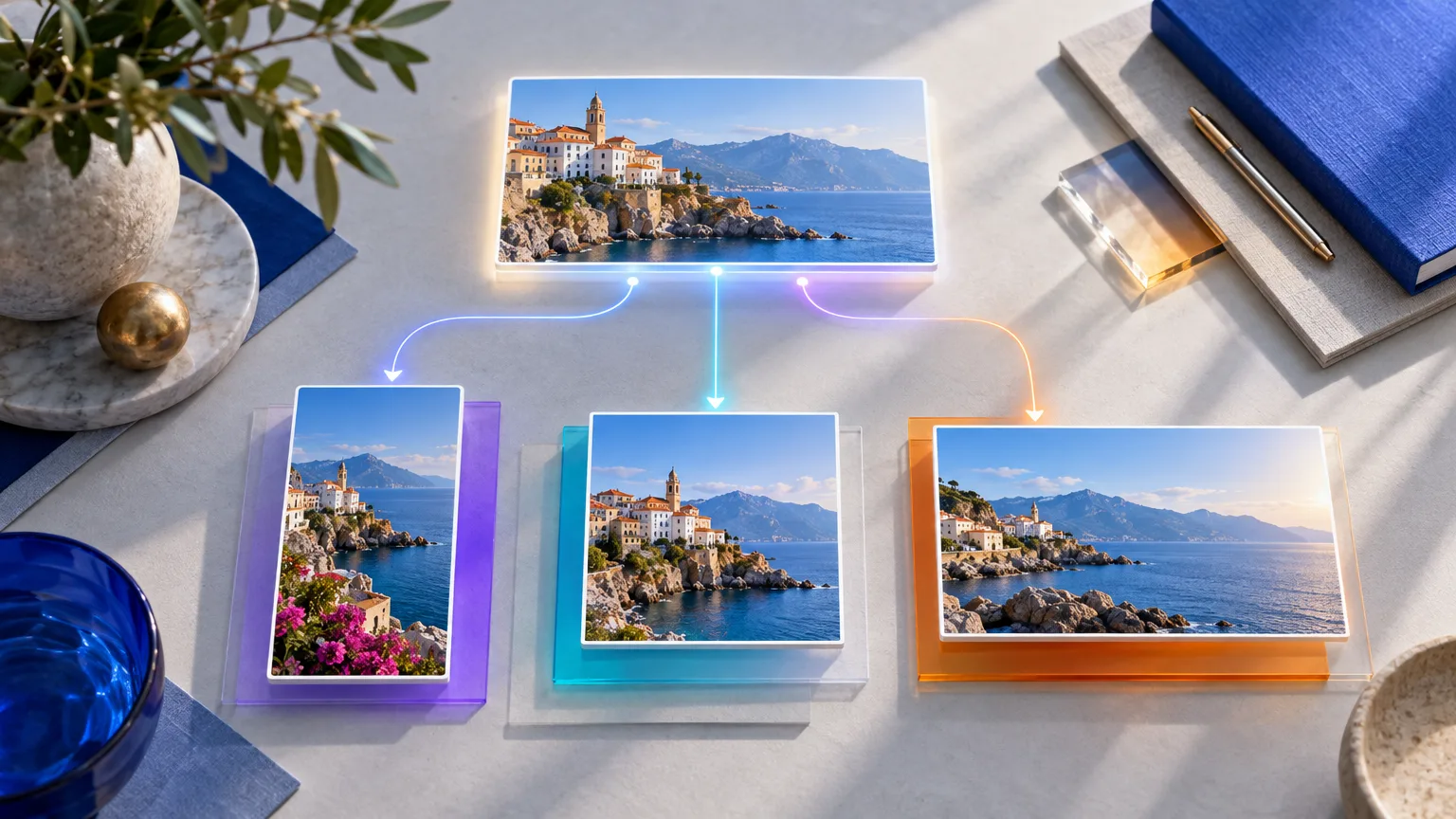
Automated multi-network publishing can save hours without creating cropped images, duplicated captions, or posts that feel out of place on LinkedIn, Instagram, and Facebook. The key is to automate the repetitive work while keeping a short, platform-specific approval step before publishing. On uses one core idea, creates separate text and visual versions for each network, checks the mobile preview, and only then schedules the final posts.
Why can automated publishing create format errors?
Automation is fast because it repeats a workflow. That is also why it can repeat a mistake across every account in seconds. A headline that is cut off, a logo too close to an edge, or a link preview with the wrong image can appear on three networks before anyone notices.
The problem is rarely the scheduling feature itself. It is usually the absence of a publishing rule: no validated image zones, no network-specific copy, no preview, or no final review. The more regularly a business publishes, the more important that rule becomes.
This matters for small teams as much as for marketing departments. According to the France Num Barometer 2025, 26% of French small and medium-sized businesses use AI tools professionally. The same study reports that 22% use generative AI for text, voice, or images. When content production accelerates, quality control has to become simpler and more systematic, not disappear.
For a local business, consultant, retailer, or B2B service company, a reliable process protects something more valuable than a post: the impression that the brand is attentive, credible, and easy to understand.
Should the same post be published on LinkedIn, Instagram, and Facebook?
On can publish the same idea, but not the same finished post. Keep the audience problem, the proof, and the main message consistent. Then adapt the opening, length, visual crop, and call to action so the post feels native to the feed where it appears.
For LinkedIn, on should lead with a professional insight, a practical lesson, or a clear point of view. As an editorial rule for Adrevia content, on keeps standard LinkedIn posts between 400 and 700 characters maximum. That creates a useful constraint: one strong hook, one concrete point, and one simple next step.
Instagram should give the visual the first job. The caption can add context, tell the story behind the image, or invite a response. Facebook often benefits from a more conversational tone, especially when the goal is to create local discussion, explain an offer simply, or share a useful update with an existing community.
A safe workflow starts with a content brief containing five elements: the central idea, the intended reader, one proof point, the desired action, and the image concept. From there, on creates three versions rather than forcing one generic caption into every channel.
- LinkedIn: insight first, concise business value, professional call to action.
- Instagram: visual impact first, readable caption, focused engagement prompt.
- Facebook: accessible language, context for the community, conversational question or link.
How do you prevent cropped images and unreadable graphics?
Automatic resizing is useful, but it should never be treated as automatic design approval. A crop can remove a face, cut a product, hide a key word, or place a logo where a platform interface covers it. On needs to view each visual in the publishing layout before it goes live.
Start with a clean source image that has enough empty space around the focal point. Avoid placing essential text at the outer edges. Keep headlines short, use a high-contrast background, and check whether the message remains understandable when the image is shown at mobile size.
LinkedIn itself notes that uploaded photo aspect ratios can range from 3:1 to 4:5, and that images outside the supported display range may be centered and cropped. Its help documentation also recommends at least 1080 pixels wide for uploaded photos. See the current LinkedIn photo-sharing specifications before setting reusable templates.
On should also distinguish between a post image and a link preview image. For a LinkedIn page post that shares a URL, LinkedIn recommends a 1.91:1 image at 1200 by 627 pixels. That is a different use case from a standard organic image post, so one visual file should not be assumed to work everywhere without checking.
With Adrevia, on can use network-specific image resizing and a visual planner to prepare those versions from one content idea. The time saving comes from avoiding manual recreation, while the quality comes from looking at each final format before scheduling.
What should be checked before an automated post goes live?
A pre-publication review does not need to take ten minutes per post. For most routine posts, a focused two-minute check is enough when the workflow is well organized. The goal is not perfection. It is to catch errors that would be obvious to the audience.
- Read the first line alone. It should make sense before the reader taps "see more."
- Verify the platform version. Confirm that the LinkedIn, Instagram, and Facebook captions are not accidentally identical.
- Open every link. Check the destination, preview image, title, and tracking parameters if used.
- Inspect the visual on mobile. Check the crop, title legibility, logo position, faces, products, and text contrast.
- Review tags and mentions. A wrong account mention is easy to miss and difficult to correct after distribution.
- Confirm the date and time. Check time zone, holidays, live events, and whether the message could feel insensitive because of current circumstances.
- Assign an owner. One person should have the final responsibility for approving the post, even when several people contribute.
This last point is often overlooked. AI can create a draft, and automation can publish it, but a person should remain accountable for the final message. That is particularly important for regulated sectors, customer complaints, recruitment announcements, promotions, and content involving people or client work.
When does automation save time without lowering quality?
Automation is most valuable when it removes repeated actions that do not require fresh judgment. Scheduling approved posts, resizing approved visuals, applying brand colors, and distributing adapted versions are good candidates. Choosing the message, validating a claim, and deciding whether an image represents the business well are not tasks to leave entirely unattended.
Batch work is especially effective. On can prepare four to ten topics in one session, approve the core message for each, generate visual variations, and schedule the completed posts. That keeps the calendar active without forcing the team to interrupt client work every day.
Video deserves the same care. LinkedIn reports that video posts are shared 20 times more than other post types, but stronger reach does not make a poorly framed or unclear video effective. The platform’s 2025 video storytelling research also notes a 36% increase in LinkedIn video viewership during 2024. If on uses video, it should still preview the opening frame, subtitles, crop, cover image, and final call to action on the intended platform.
For independent professionals and small teams, the practical threshold is simple: automate the steps that happen every week, but keep human review for decisions that affect trust, positioning, or accuracy. That is the difference between a helpful content system and a publishing machine that sounds detached.
"A professional, attentive, and proactive team."
Google review, anonymized customer
How can small businesses keep their brand consistent at scale?
Consistency does not mean using the same layout, phrase, or image style in every post. It means readers recognize the business through its tone, priorities, colors, logo use, and level of usefulness. On can be concise on LinkedIn, visual on Instagram, and conversational on Facebook while still sounding like the same company.
Create a compact brand checklist before automating anything: approved colors, logo rules, preferred vocabulary, phrases to avoid, audience priorities, and examples of posts that feel right. It gives AI and team members a shared standard instead of asking everyone to guess what "on-brand" means.
Adrevia can analyze a business website to support tone, target audience, and visual identity, then help generate and plan content for LinkedIn, Instagram, and Facebook. For teams with limited time, the option to generate up to 10 posts in a batch and adjust visuals by network can turn consistency into a repeatable process rather than an after-hours task.
Frequently asked questions about automated social publishing
Can we automate LinkedIn, Instagram, and Facebook from one tool?
Yes, one tool can centralize creation, adaptation, scheduling, and publishing for all three networks. The safe approach is to keep separate versions of the caption and visual for each platform, then approve the previews before the posts are scheduled.
Should LinkedIn posts always stay under 700 characters?
For Adrevia’s standard LinkedIn publishing workflow, on recommends keeping posts between 400 and 700 characters maximum. This is an editorial guideline, not a platform limit, designed to keep the hook clear, the message focused, and the call to action easy to understand.
Does automatic image resizing eliminate the need for visual review?
No. Automatic resizing speeds up production, but it cannot reliably judge whether the crop removes an important detail, whether text is readable on a phone, or whether a logo sits too close to an edge. On should always check the final platform preview.
What is the fastest way to review several scheduled posts?
Review posts in batches using a visual calendar. First validate the central message, then scan each platform preview for copy, image crop, links, tags, and scheduled time. A shared checklist makes this review faster and more consistent across the team.
Automated multi-network publishing works best when on automates production steps but protects the final decision. Adapt the copy, resize the visual, check each preview, and keep one person responsible for approval.
For a practical workflow that brings content generation, brand adaptation, visual planning, and multi-network scheduling together, explore Adrevia. On keeps the time-saving parts automated while making sure the final post still looks and sounds like the business behind it.